
Local LLMs feel best when they never leave my MacBook Pro M1. I now keep a small local stack: text models through LM Studio or ollama, Diffusion Bee for still images, ComfyUI for Stable Diffusion video, and the Draw Things app (which still refuses to render video for me).
Current Setup
- Local text. A 7B quantized model runs straight from my Mac. It types slower than cloud GPT, but it is enough for outlines and prompt tweaks.
- Diffusion Bee. Handles SDXL and other checkpoints at 512×512. Bigger jobs fall back to CPU, so I keep the renders small and quick.
- ComfyUI. I built a tiny 16-frame pipeline for Stable Diffusion video. It is slow (about a minute per frame) but teaches me the workflow.
- Draw Things. Tried it for video and it kept crashing once the motion models loaded, so I paused it for now.
Why Bother?
- Privacy: nothing leaves the laptop unless I share it.
- Offline access: I can keep working without Wi-Fi.
- Control: I choose the models, checkpoints, and prompts.
- Cost: no API bills, only power and patience.
Where It Struggles
- Speed: the M1 GPU maxes out fast, so long prompts crawl.
- Quality: video coherence still lags behind cloud services.
- Length: small local LLMs have short context windows.
- Size: every model is several GB; storage fills up quickly.
Mac vs. PC Reality Check
- MacBook Pro M1 (10-core GPU, 16GB RAM). Happy at 512–704 px for stills, 16 frames for video, and light Diffusion Bee experiments.
- PC with RTX 4070 (12GB VRAM, Ryzen 7, NVMe). Can push 1024×576 video, 30+ frames, multiple ControlNet passes, and live previews in ComfyUI. It is simply better for video because the GPU has more VRAM and better cooling.
So the Mac stays my portable lab, while the PC is the place for serious video quality once I start moving bigger files over.
Local Samples
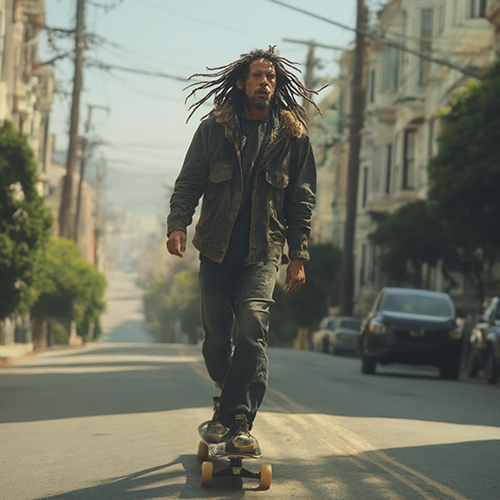
Here’s what the outputs look like right now—a quick sketch from Diffusion Bee and a short test clip straight out of ComfyUI.
Next Steps
- Keep testing Diffusion Bee on the Mac with new SDXL and Flux-style models, then maybe move the best ones to the PC for bigger renders.
- Research cleaner video workflows (AnimateDiff, Motion Brush ideas, better ComfyUI templates) and note how the RTX 4070 specs help compared to the M1.
- Time each render on both machines so I understand the real limits for resolution, frame count, and VRAM use.
- Cross my fingers that Mochi starts working again so I can try sketch-to-video locally.
Running everything myself is slower, but I like the privacy, the control, and the feeling that I actually understand how these tools behave on my own hardware.
Blog